Send one link per person
Make a private link for each person you send the demo to, so the room greets them by name and you know exactly who did what.
On this page
By Kaz Kato · Published 12 October 2026 · Updated 12 October 2026
Give every person their own link. The room greets them by name and files everything they do under it. It asks each new browser who it is, so a forwarded link shows up as a new person rather than hiding under the first. You can set a link to expire, and revoke it at any moment.
This chapter covers making a link from the CLI, the app or Claude, what your client sees when they open it, and how a link ends. Private links come with Pro; on Free a room is shared differently. Sharing a private link has every detail.
| One link for everyone | One link per person | |
|---|---|---|
| You know who opened it | No | Yes, by name |
| A forwarded copy shows up | No | Yes, as forwarded, under the link |
| You can close it for one person | No | Yes: revoke that link alone |
| Each person’s visits, in order | No | Yes |
| Your pipeline means something | No | Yes: one card per person |
Make a link
From the CLI, in the demo’s folder:
roomi link "Priya Shah" --email priya@example.com --expires 14The link is shown once, for you to send. If it is lost, roomi link copy "Priya Shah" shows it again.
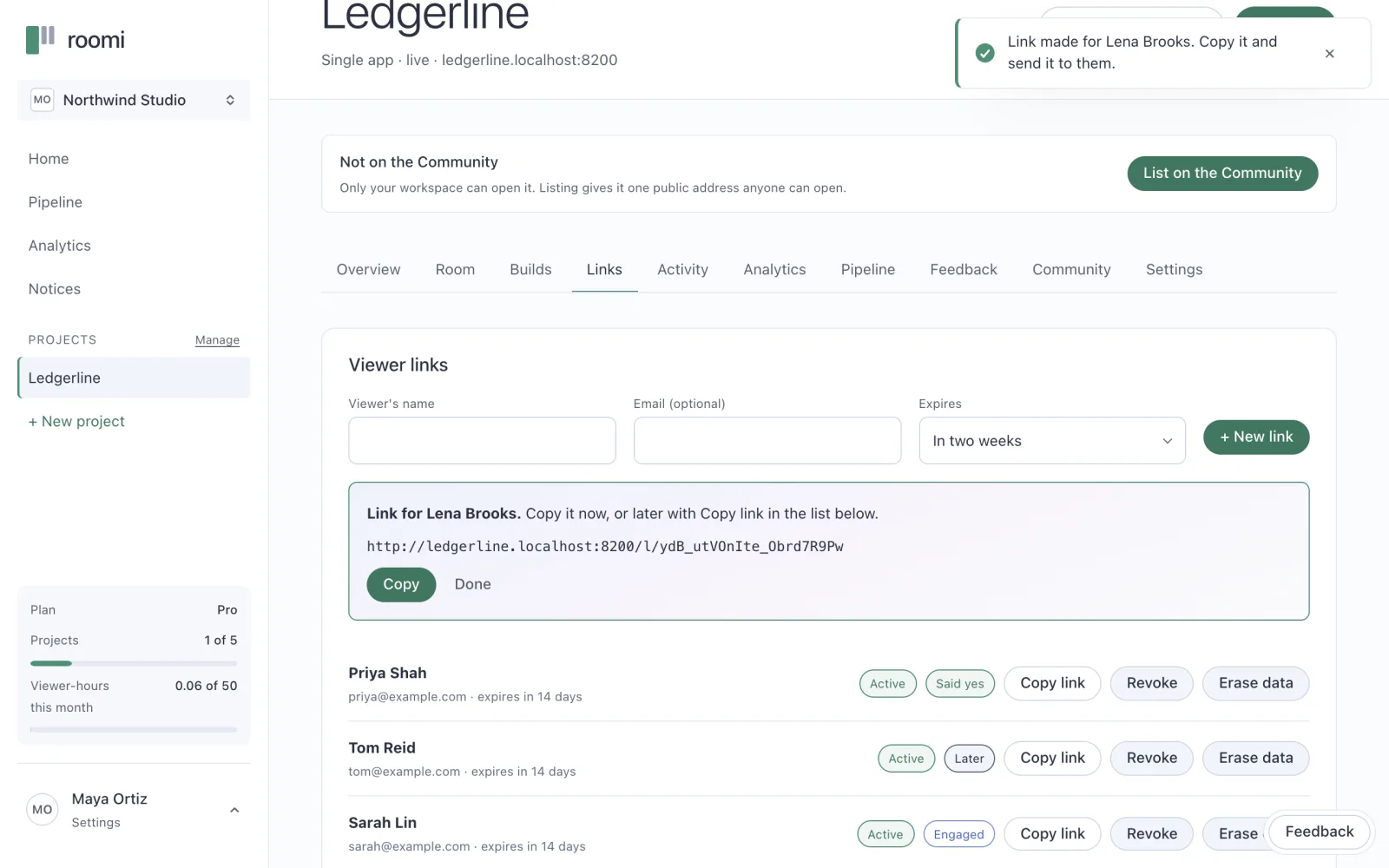
From the app, open the project and choose New link, or go to the Links tab. Give the person’s name, an email if you like, and when it should expire. The address is shown once, with a Copy button.
From Claude, with the connector added, just ask:
Make a viewer link for Priya Shah on Ledgerline, expiring in two weeks.Send it yourself
Roomi sends nothing: no email, no invitation. Copy the address and send it the way you would send anything else to that person, in your own words. A short note that says why you built it for them does more than any subject line.
The same note has three things to say, and Roomi’s terms ask you to say them. Who you are. That the room records what they do in it and shows it to you. And how to reach you about their data, for example by pointing them to getroomi.com/privacy. A few lines cover it:
I've built you a working demo of Ledgerline: <link>
The room shows me what you look at in it, so I can follow up on what
matters to you. How your data is handled: getroomi.com/privacy,
and any question about it, just reply to me here.
Maya Ortiz, Northwind Studio
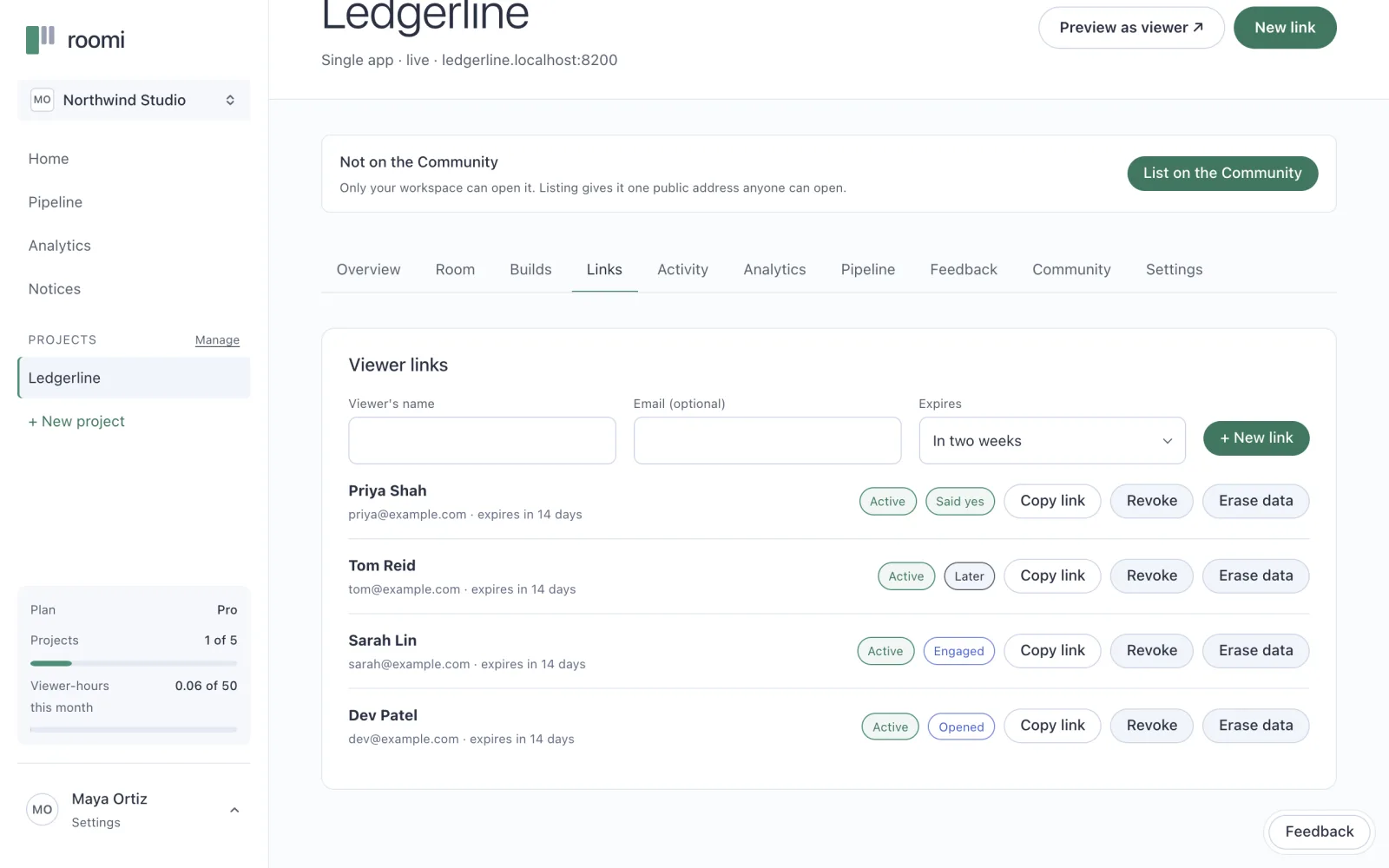
The Links tab lists every link on the project, with its viewer, when it expires, and whether it is active, expired or revoked.
What happens when they open it?
The link takes them straight into the room, with nothing to sign up for. The room first asks whether they are the person the link was made for. Then they see the demo on its stage, the tour on offer, your pages under Read more, and a notice that it runs on mock data.
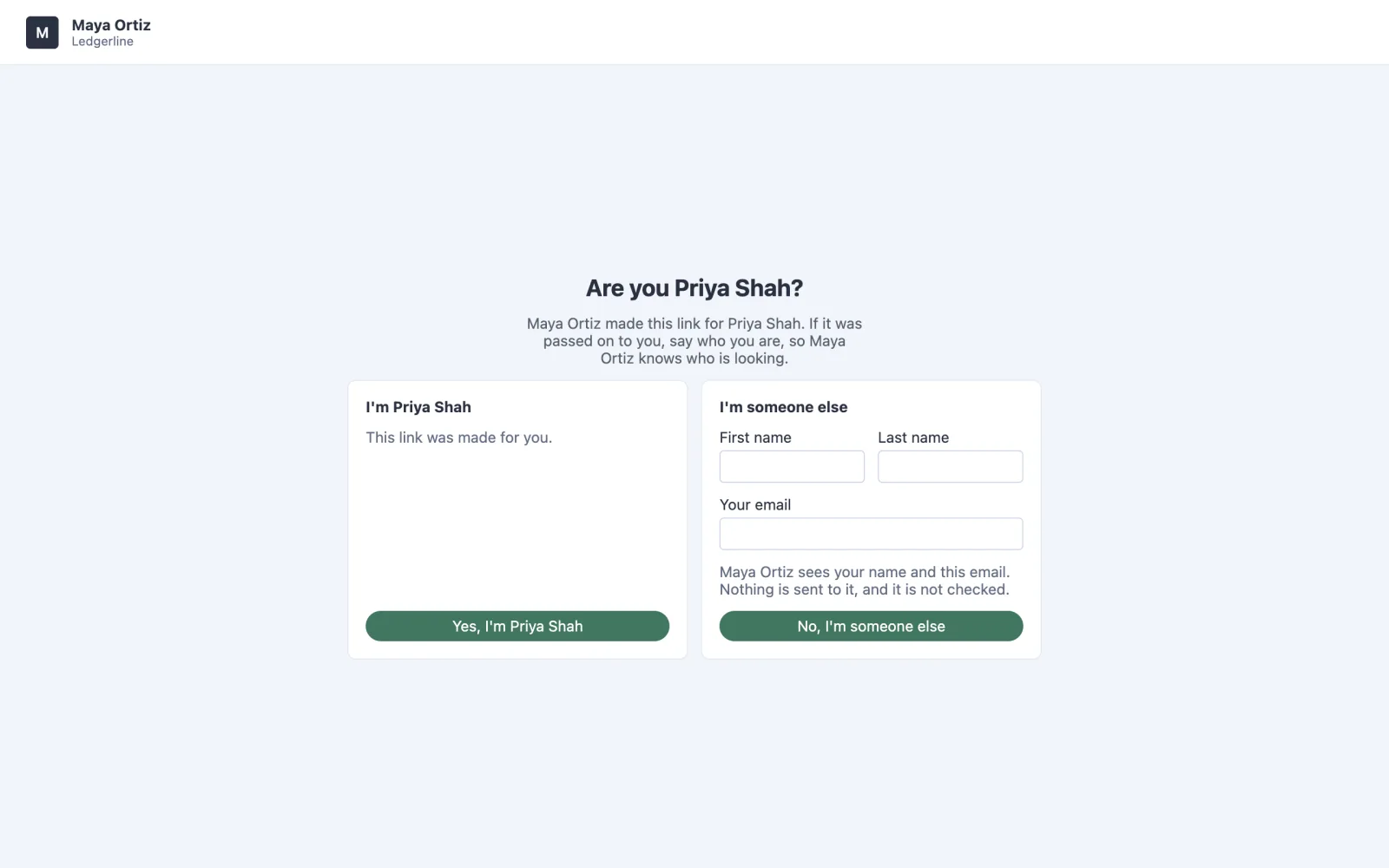
Yes, I’m Priya Shah carries on as her. No, I’m someone else asks for a name and an email, and adds that person under the same link, marked as forwarded. The room takes the key out of the address bar as it lets them in, so the link does not end up in a bookmark. Tell them to keep the message you sent it in.
Expiry and revoking
A link with an expiry closes at that moment, checked on every request, so a viewer already in the room is stopped too. A revoked link stops working at once and cannot be undone. Either way, what the viewer already did stays on record, and the link now answers with a plain “Not found” that says nothing about you or the room.
On Free
Free has no private links. A project there is either a draft only your workspace can open, or listed on the community. A listed project has one public address that anyone can open, with no link and no account. Up to 5 people can be in a public room at once, and its analytics are total views. The community covers listing a project.
Once each person has their own link, everything they do in the room is theirs. The next chapter is about reading it.
Before you move on
- One link for each person, named for them
- An expiry on any link you would rather not leave open
- Sent by you, in your own words, the way you usually reach them
- Your note says who you are, that the room records their visit for you, and how to reach you about their data
- A new link for anyone a link was forwarded to, if you want them apart
Questions people ask
Does my client need an account?
No. Their link takes them straight into the room, with nothing to sign up for and nothing to install. The room asks once whether they are the person the link was made for, and that is all.
What if they forward it?
Whoever opens a forwarded link is asked who they are, and appears under the same link as forwarded, with the name and email they gave. You see the buying group grow, instead of guessing at it.
About the author
Kaz Kato, Co-founder & CTO, Roomi. Kaz co-founded Roomi with Tesh, whom he has built with since 2017: two startups that failed, one venture studio that didn’t, and an exit.