Read what they did
See who opened the room, how far through the tour they got, what held them, what they said and what they chose next, person by person.
On this page
By Kaz Kato · Published 12 October 2026 · Updated 12 October 2026
Every visit, click and minute in the room is recorded against the person whose link it was. You see who opened it and when, how far through the tour they got, which screens held them, what they commented and which next step they chose. It is measured, not scored: the app shows you the evidence, and you judge it.
This chapter walks through a viewer’s journey, the Analytics screen, comments, and asking Claude about it all. Everything here is in Analytics and the pipeline, with what the room does not collect. It needs a private link per person, so it starts on Pro (pricing).
A viewer’s journey
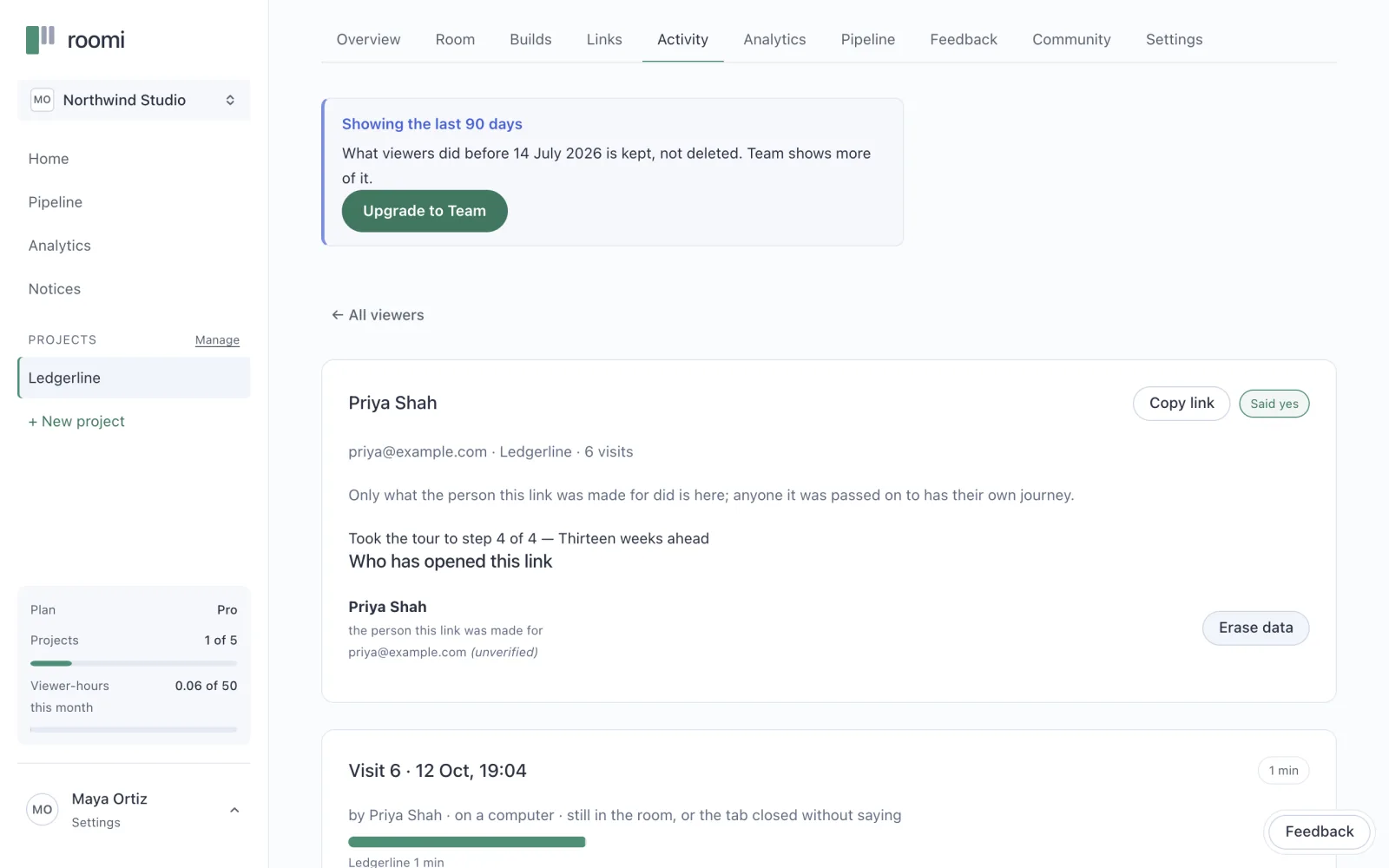
A journey is one person’s visits, in order: what they opened, read, said and chose, and where they stopped. Open the project’s Activity tab and choose a viewer. You see how far they took the tour, who else opened their link, and each visit with its moments, each timed from the start of the visit.
The Analytics screen
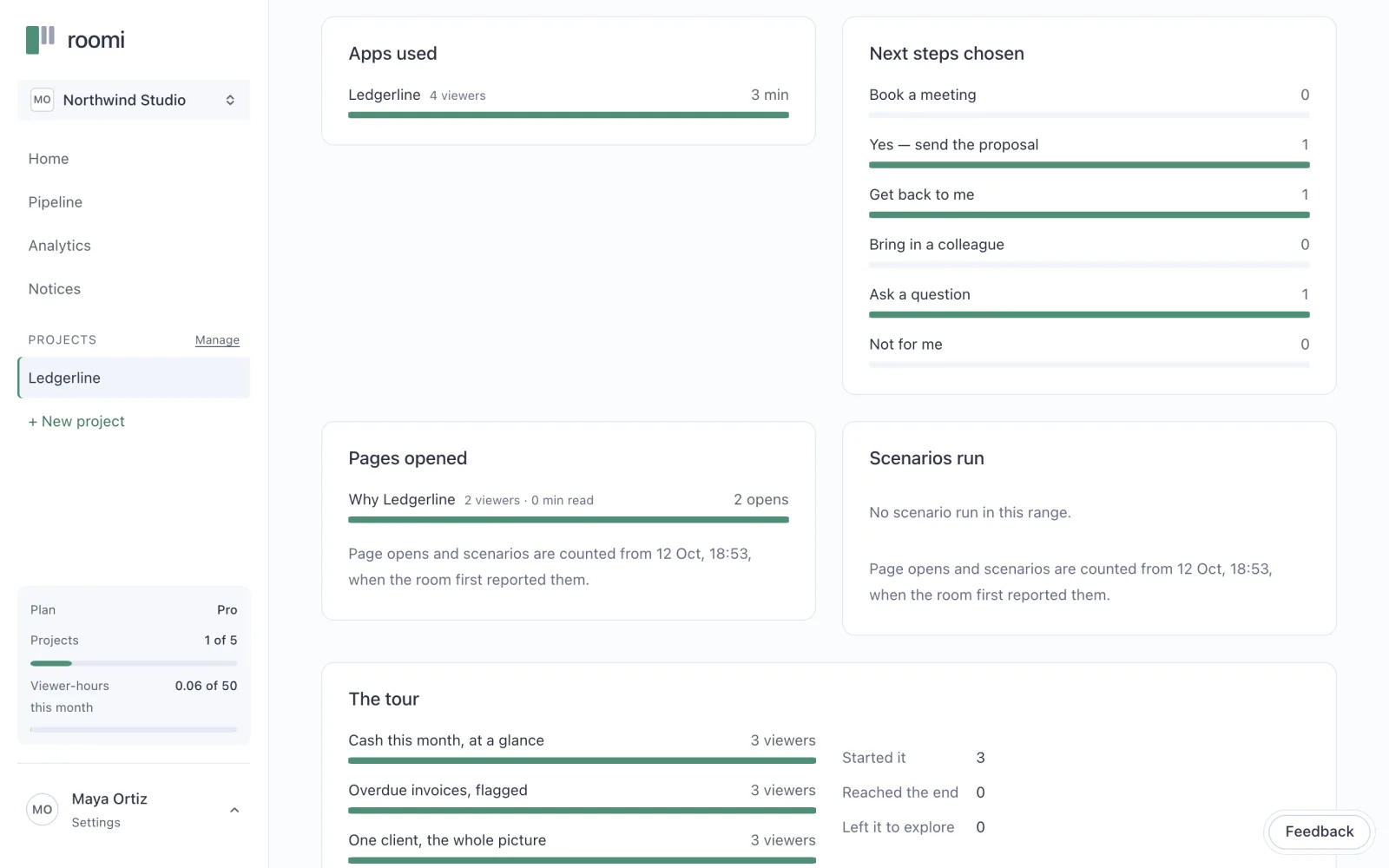
A project’s Analytics tab shows everyone at once, for the range you choose:
| Measure | What it counts |
|---|---|
| Views | Visits begun in the range |
| Viewers | Distinct people |
| Time in the room | The seconds spent on each app and page |
| Turned away | Viewers a full room turned away |
Below them are ranked lists: the apps used, the pages opened, the next steps chosen. When the build has a tour, the screen shows how many people reached each step, in order. The step where the numbers fall is the one to rewrite.
Comments on the screen itself
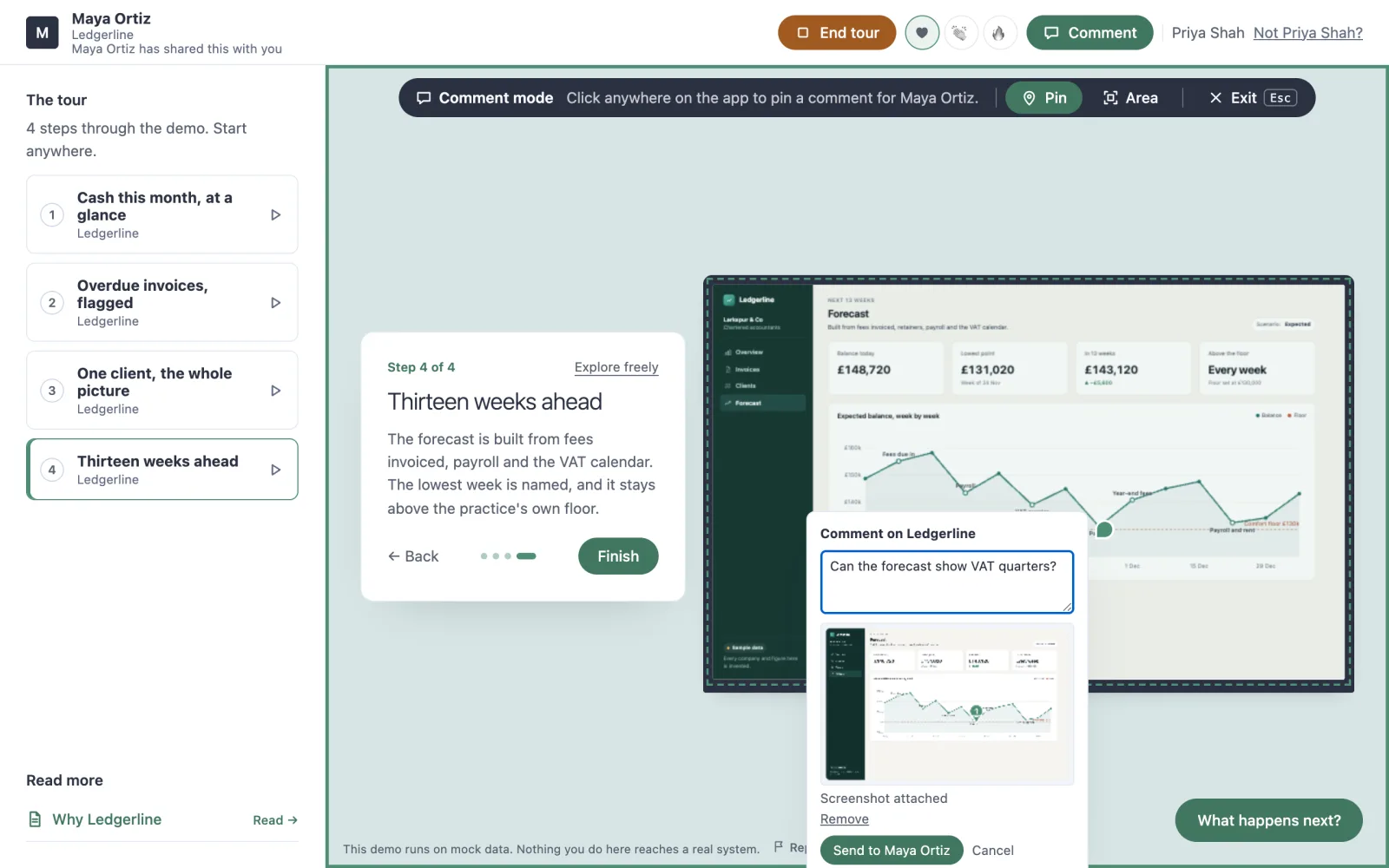
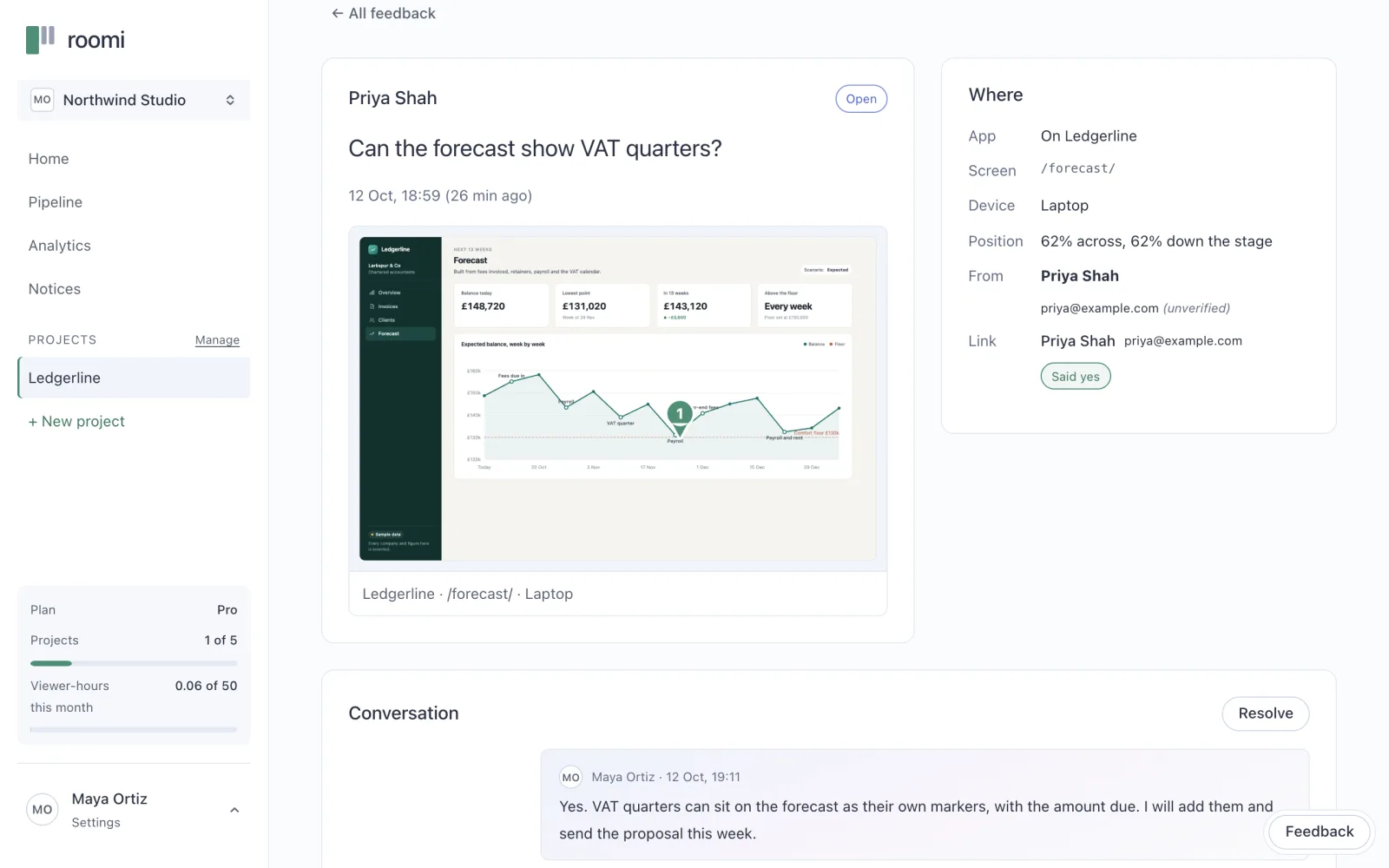
A viewer can pin a comment to the exact spot on the demo they mean, or draw round a part of it. It reaches you with a picture of the screen they were looking at, the pin marked on it, in the project’s Feedback tab. Your reply is waiting for them in the room the next time they open their link.
Viewers can react, too: a heart, a clap or a fire, in the room’s header. The Activity tab lists who reacted with which, and when, each person by name.
Ask Claude
With the connector added, the same records answer questions in a chat. Reading them changes nothing: asking for feedback does not mark it read.
Who opened the Ledgerline demo this week, and what did they say?
Which viewers are still at "sent"?
How far did Tom get through the tour?
Claude reads them with viewer_activity, which has each link’s visits and time, read_feedback, which has the answers and comments, and pipeline, which has every viewer’s stage.
What is not collected
The room tells you what a viewer did in your room, and nothing about them beyond it. It loads no tracking scripts. It keeps no IP address, browser version or location, only whether they were on a phone, a tablet or a desktop. A viewer’s name is what you typed, or what they told the room. And a preview records nothing at all.
Now you know what each person did. The last chapter is what to do with it.
Before you move on
- Read each viewer’s journey before you call them
- Check where the tour lost people, and fix that step
- Answer every comment in the room
- Ask Claude who opened it and what they said
Questions people ask
Does the room use tracking scripts?
No. The room runs only its own script, and loads no third-party analytics, advertising or fingerprinting code. It keeps a device class and nothing else about a viewer’s machine: no IP address, no browser version and no location.
What does the Free plan show?
Total views for the range you choose. Each viewer’s journey, the rest of the analytics and the pipeline come with Pro, at £4 a month before VAT.
About the author
Kaz Kato, Co-founder & CTO, Roomi. Kaz co-founded Roomi with Tesh, whom he has built with since 2017: two startups that failed, one venture studio that didn’t, and an exit.