Give it a guided tour
A short guided tour walks each viewer through the demo when you are not there to do it. How to write one, with a worked example.
On this page
By Kaz Kato · Published 12 October 2026 · Updated 12 October 2026
A guided tour is a few steps the room walks each viewer through: what to notice, on which screen. It does the job you would do on a call, for every person you send it to. Write three to six steps, one idea each, in the order you would pitch it, and let the viewer explore freely after.
This chapter shows what the viewer sees, how to write the steps, a worked example from Ledgerline, and the pages and next steps that sit beside the tour. The full reference is Writing the tour, and pitch.json has every field.
What the viewer sees
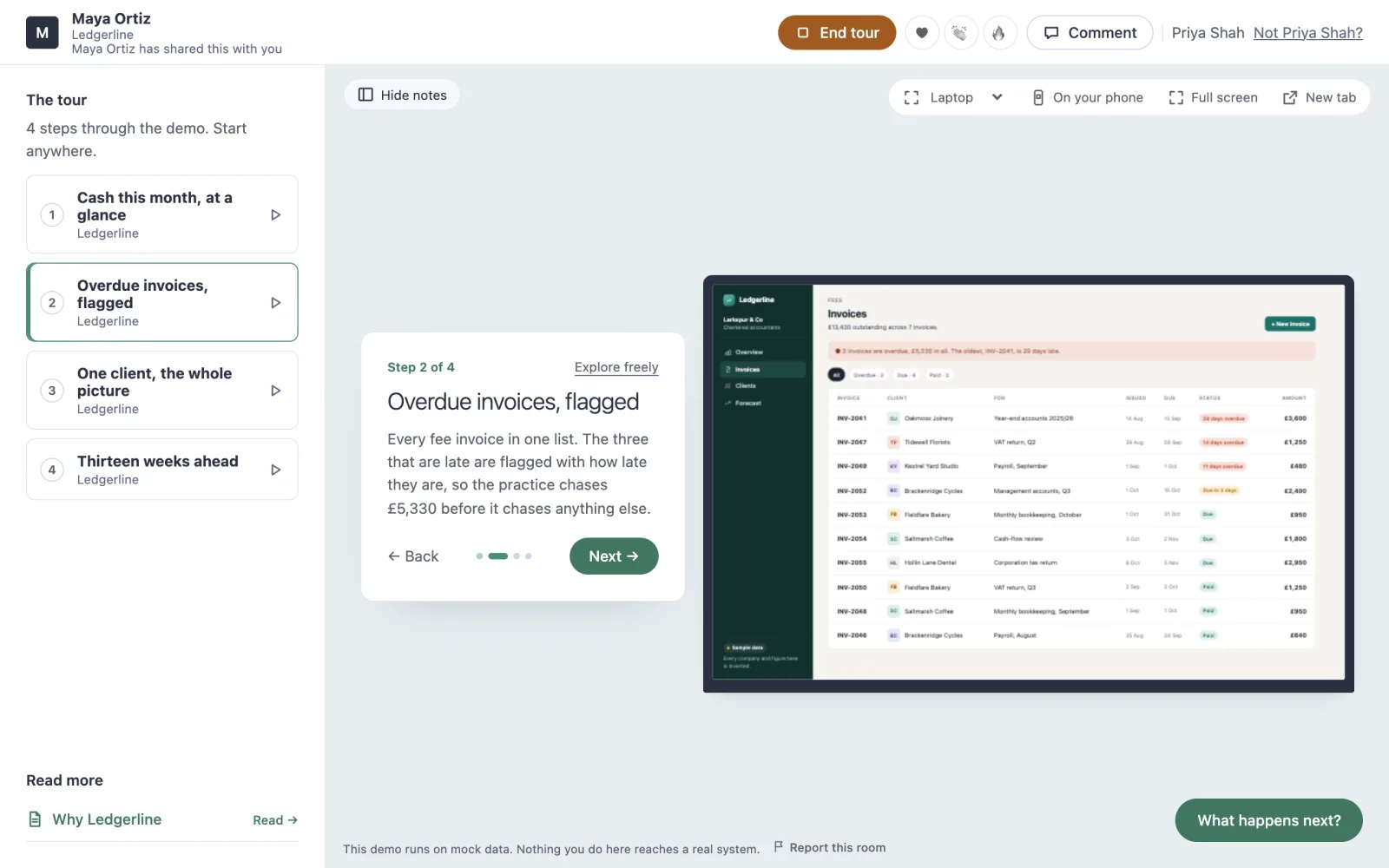
When the room opens, a card on the stage offers the tour, and runs nothing until the viewer asks. Each step puts its screen on the stage, in its frame, and says what to notice. Explore freely leaves the tour at any point, and the outline down the side starts it at any step.
Write it in three to six steps
- One idea a step. Who it is for, the moment the product matters, what the business sees. In the order you would pitch it.
- Make every step stand on its own. A viewer can jump to any step, so each one opens its own screen with
path. - Write for the viewer, not the builder. Say what to notice and why it matters to them. “Three fee invoices are late” beats “the invoices component”.
- Show it where it lands. If the point is that it works on a phone, give that step
"device": "phone". - Keep each step short. A title of a few words, and a sentence or two to say. The room shows it beside the screen, not instead of it.
A worked example
This is Ledgerline’s tour, word for word from the pitch.json it was deployed with. Four steps, each opening the screen it is about:
"story": [
  {
    "id": "cash-this-month",
    "title": "Cash this month, at a glance",
    "say": "Larkspur & Co, an invented practice, opens Ledgerline on one question: how much came in, how much went out, and what is left. The overdue fees to chase sit beside it.",
    "app": "ledgerline",
    "path": "/"
  },
  {
    "id": "overdue",
    "title": "Overdue invoices, flagged",
    "say": "Every fee invoice in one list. The three that are late are flagged with how late they are, so the practice chases £5,330 before it chases anything else.",
    "app": "ledgerline",
    "path": "/invoices/"
  },
  {
    "id": "one-client",
    "title": "One client, the whole picture",
    "say": "Fieldfare Bakery's page puts what they pay the practice beside their own bank feed and this quarter's work, so a partner can call them knowing everything.",
    "app": "ledgerline",
    "path": "/clients/fieldfare-bakery/"
  },
  {
    "id": "forecast",
    "title": "Thirteen weeks ahead",
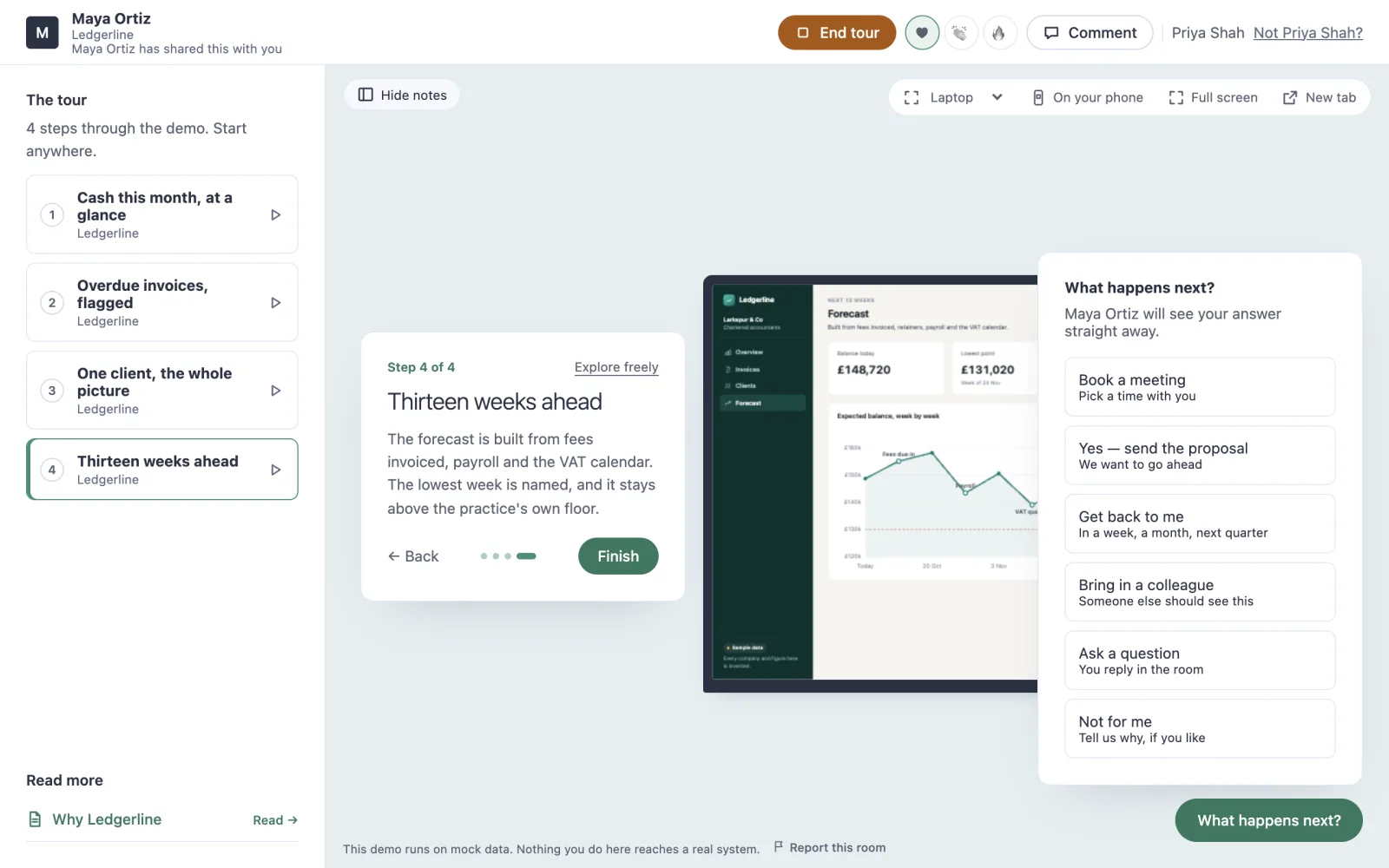
    "say": "The forecast is built from fees invoiced, payroll and the VAT calendar. The lowest week is named, and it stays above the practice's own floor.",
    "app": "ledgerline",
    "path": "/forecast/"
  }
]
Ask Claude to write it
You do not have to write the tour by hand. When Claude deploys from a chat, the connector teaches it how to write one, and it shows you the tour before it keeps it. Or ask outright:
Write a guided tour for this demo: four steps, one idea each, in the order
I would pitch it to the partners of a small accountancy. Each step opens
its own screen. Write what to notice for them, not for a developer.
Pages beside the demo
A room lists pages you write, in Markdown or HTML, under Read more, beside the stage. Each opens over the room, for the viewer to read in their own time. A short page on why it matters, and what working together looks like, does what the last slide of a deck used to do. List them in pitch.json under pages, and they go up with the deploy. Pages has the rest.
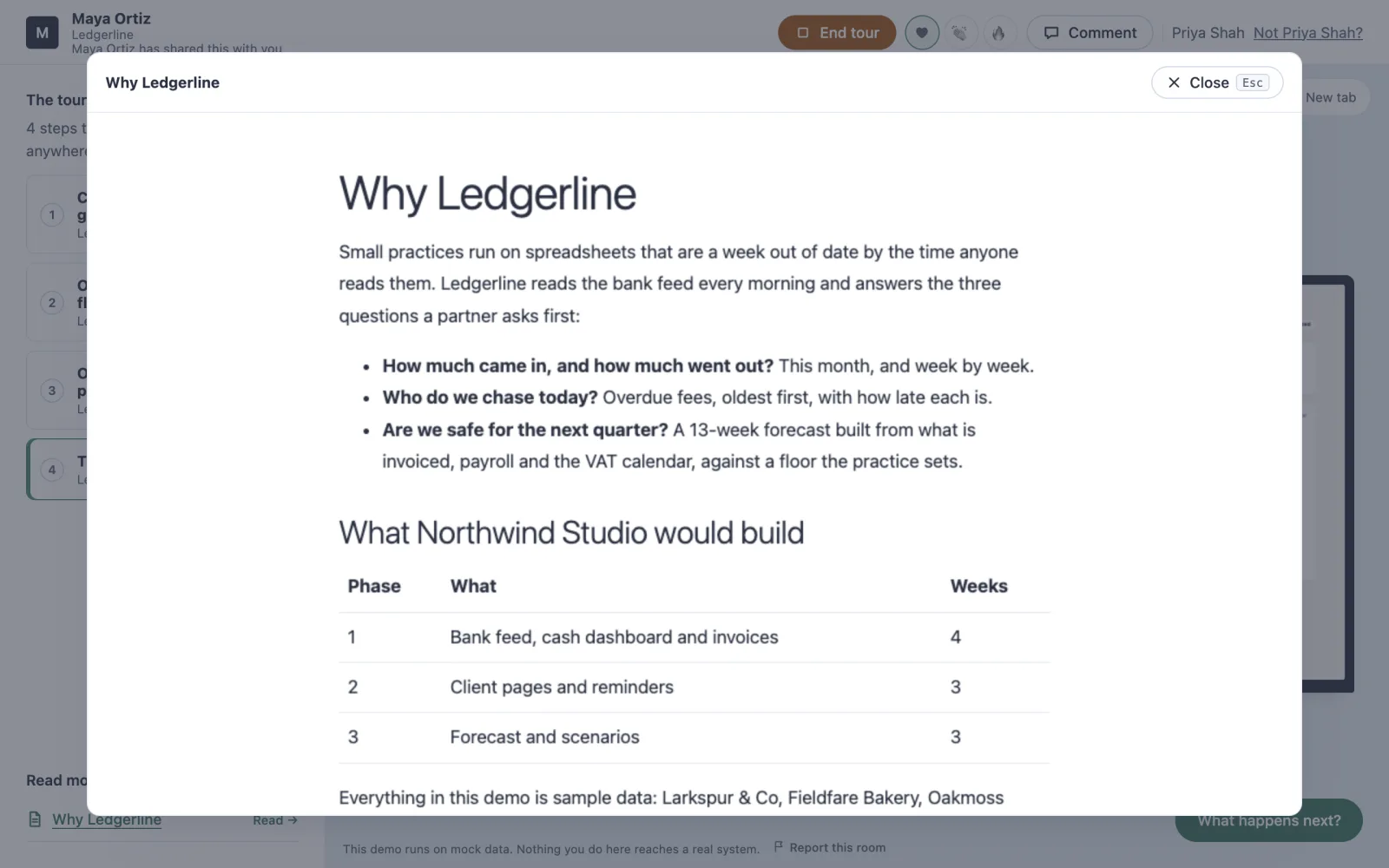
You can put a PDF in the room too, such as a brochure or the deck you would have sent. It opens in the room’s own reader, a page at a time, and you see which pages were read.
What happens next
At the foot of the room, What happens next? asks the viewer for the one thing you want from them. On a paid plan you choose the steps it offers. Book a meeting, yes and send the proposal, get back to me, bring in a colleague, ask a question, or not for me. Each answer arrives with the person who gave it. Brand and next steps shows how to choose them.
With the tour written, every viewer gets the pitch. The next chapter makes sure each one gets it on their own link.
Before you move on
- Three to six steps, one idea each, in the order you would pitch it
- Every step opens its own screen, so it makes sense on its own
- Each step says what to notice, for the viewer rather than the builder
- A page beside the demo says why it matters, and what happens next
Questions people ask
Can a viewer skip the tour?
Yes. Explore freely leaves the tour at any point, and the outline starts it at any step. That is why each step should make sense on its own and open its own screen.
Can I change the tour after I have sent the links?
Yes. Change the story and deploy again. Everyone opening a link gets the new build from their next page load, and nobody’s link changes.
About the author
Kaz Kato, Co-founder & CTO, Roomi. Kaz co-founded Roomi with Tesh, whom he has built with since 2017: two startups that failed, one venture studio that didn’t, and an exit.